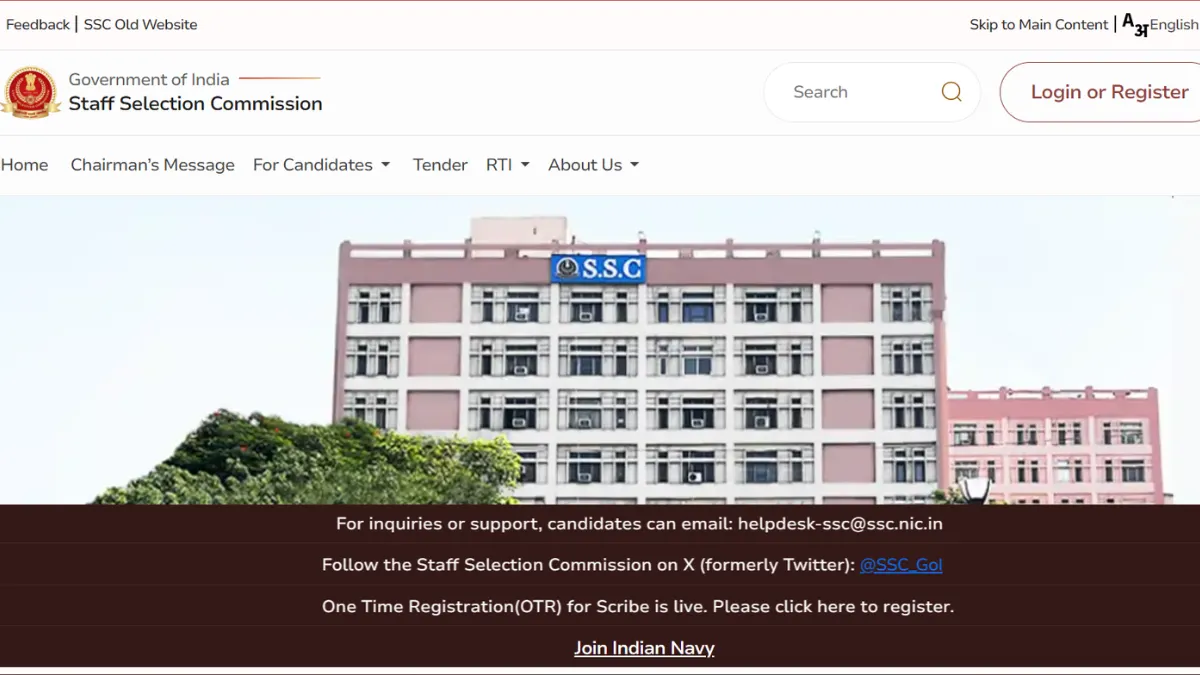
The Staff Selection Commission has released the SSC CGL Admit Card 2026 for Tier 1 for the candidates who are going to appear in the Combined Graduate Level Examination. Candidates can download their SSC CGL Tier 1 Hall Ticket from the official site of SSC by logging in with their credentials.
The Tier 1 examination will be conducted from 30 September to 30 October 2026 in Computer-Based Examination (CBE) mode. The exam will be conducted in multiple shifts across examination centres.
SSC CGL Admit Card 2026 Out
SSC CGL 2026 call letter for Tier 1 is available for download at ssc.gov.in. Check the direct link, exam schedule from 30 September to 30 October, shift timings, exam centre details, documents required, dress code, prohibited items and important exam-day guidelines. The admit card is the most important document for the examination day as it contains the candidate’s exam date, reporting time, shift, examination centre address, roll number and important instructions.
As of 27 September 2026, Hall Ticket has been released for Computer Based Test scheduled on 30th September 2026. Candidates are advised to login @ssc.gov.in to download their admit card, if they already know their exam date is 30th Sept 2026.
SSC CGL Call Letter: Key Details
| Particulars | Details |
| Exam Name |
SSC Combined Graduate Level Examination 2026 |
| Conducting Body |
Staff Selection Commission |
| Exam Stage | Tier 1 |
| SSC CGL Admit Card | Released |
| Exam Mode |
Computer-Based Examination |
| SSC CGL Tier 1 Exam Date |
30 September to 30 October 2026 |
| Exam Shifts | 4 shifts |
| Exam Duration | 1 hour |
| Total Questions | 100 |
| Maximum Marks | 200 |
| Official Website | ssc.gov.in |
SSC CGL Tier 1 Admit Card 2026 Download Link
Candidates can download the SSC CGL Tier 1 Admit Card from the official SSC portal using their registration number and password/DOB. For the ease of candidates, we have provided the direct download link:
SSC CGL Tier 1 Admit Card 2026 Download Link (ACTIVE)
How to Download SSC CGL Admit Card 2026
Candidates can follow these steps to download their Tier 1 hall ticket:
- Visit the official SSC website at ssc.gov.in.
- Click on the Login/Register option.
- Enter the required registration number/username and password.
- Submit the login details.
- Open the SSC CGL 2026 examination section.
- Click on the SSC CGL Tier 1 Admit Card 2026 link.
- Check the examination date, shift and centre details displayed on the screen.
- Download the admit card.
- Take a clear printout for the examination day.
Check These 6 Details on Your Hall Ticket
Instead of simply downloading the admit card, candidates should spend a few minutes checking the following:
- Exam date
- Reporting time
- Shift
- Centre name
- Centre address
- Roll/Registration Number
SSC CGL Tier 1 Exam Schedule 2026
The SSC CGL Tier 1 examination is scheduled to be conducted from 30 September to 30 October 2026. The examination will be held in multiple shifts across different examination centres.
| Event | Date |
| SSC CGL Tier 1 Exam Begins | 30 September 2026 |
| SSC CGL Tier 1 Exam Ends | 30 October 2026 |
| Exam Mode |
Computer-Based Examination |
| Number of Shifts |
SSC CGL Shift Timings 2026
The Tier 1 examination is being conducted in four shifts. The reported examination timings are as follows:
| Shift | Exam Timing |
| Shift 1 | |
| Shift 2 | |
| Shift 3 | |
| Shift 4 |
What to Carry to SSC CGL Exam Centre?
Candidates should prepare their exam-day documents one day before the examination.
- Printed copy of the SSC CGL Admit Card 2026
- Original valid photo identity proof
- Copy of valid photo identity proof
- Recent passport-size photographs
SSC CGL Dress Code 2026
SSC does not prescribe a separate elaborate uniform-style dress code for CGL candidates. However, candidates should wear simple, comfortable clothing and avoid anything that could create problems during security checking. Keep this in mind:
- Simple and comfortable clothes
- Normal footwear
- Minimal accessories
- Clothes without unnecessary metal components
SSC CGL Prohibited Items 2026
Candidates should avoid carrying unnecessary belongings to the examination centre because storage facilities may not be available. The following items should generally not be carried inside the examination hall:
- Mobile phones
- Smartwatches
- Bluetooth devices
- Earphones/headphones
- Calculators
- Electronic gadgets
- Tablets or laptops
- Cameras
- Notes, books or study material
- Bags and bulky belongings
- Unauthorised stationery
- Any other electronic or prohibited item mentioned in the examination instructions
SSC CGL Exam Day Instructions: Do’s and Don’ts
| Do’s | Don’ts |
| Download and print the admit card in advance. |
Do not reach the centre after the gate-closing time. |
| Check the centre location before the examination day. |
Do not carry a mobile phone or smartwatch. |
| Reach the venue well before the reporting time. |
Do not carry study material into the examination hall. |
| Carry the required original ID proof. |
Do not attempt to communicate with other candidates during the exam. |
| Follow the instructions given by the examination staff. |
Do not carry unnecessary jewellery or metallic accessories. |
| Complete the verification and biometric/security process as instructed. |
Do not leave the examination hall without following the invigilator’s instructions. |
| Read the instructions displayed on the computer before starting the examination. |
Do not rely on a digital copy of the admit card when a printed copy is required. |
| Keep your admit card safely until the examination process is complete. |
SSC CGL Tier 1 Exam Pattern 2026
Before entering the examination centre, candidates should also remember the basic Tier 1 pattern. The examination duration is 60 minutes, where each section is of 15 minutes.
| Subject | Questions | Marks |
| General Intelligence & Reasoning | 25 | 50 |
| General Awareness | 25 | 50 |
| Quantitative Aptitude | 25 | 50 |
| English Comprehension | 25 | 50 |
| Total | 100 | 200 |
What to do if admit card is not downloading?
If the admit card is not appearing, candidates should:
- Check whether they are using the correct SSC login credentials.
- Confirm that they are accessing the correct SSC website/Regional Office portal.
- Check the examination details against the city intimation slip.
- Try downloading the admit card again after some time if the server is busy.
- Use a stable internet connection and updated browser.